
Charge phone Kilimanjaro
Can You Charge Your Phone on Kilimanjaro? Power Bank Guide
Last Updated: 18 August 2026 · 12 min read
Data sources cited in this article: Kilimania Adventure guiding experience and photographs (Sabinus Msimba, 2025–2026 climbs); general lithium-ion battery behavior in cold conditions.
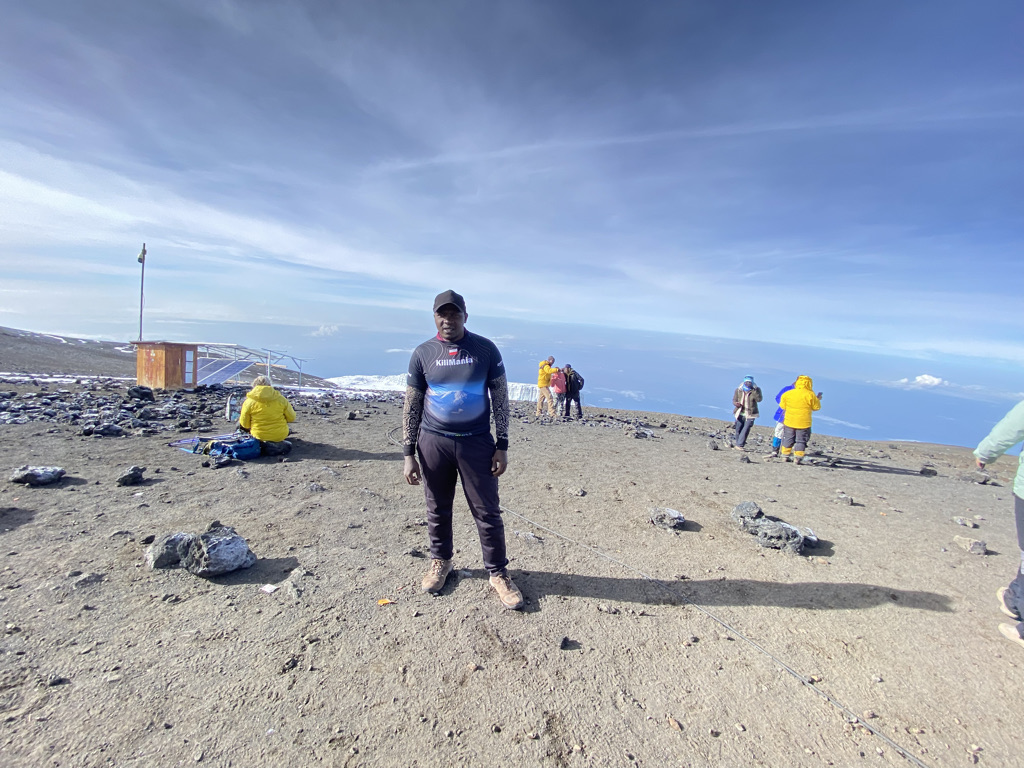
Quick answer: There is no reliable mains electricity or dependable guest charging service on Kilimanjaro that climbers should plan around — bring your own power bank and start the trek fully charged. Phone signal is a different story: Sabinus Msimba, who climbs the mountain regularly, has personally used his phone at points including Gilman’s Point and Uhuru Peak. That connectivity is real but location-specific and inconsistent from climb to climb, so treat it as a bonus, not something to depend on.
The Honest Answer, At a Glance
| Question | Honest answer |
|---|---|
| Can I charge from a wall socket? | No — don’t plan on it |
| Should I bring a power bank? | Yes, essential |
| Can my phone get signal on the mountain? | Sometimes, at certain points |
| Can I get connectivity near the summit? | It can happen — Sabinus has personally experienced it |
| Is summit connectivity consistent every climb? | No |
| Should my phone replace the guide team’s emergency system? | Absolutely not |
Can You Charge Your Phone on Kilimanjaro?
Yes, but only from a power bank you bring yourself. There is no reliable mains electricity or dependable guest charging service on any standard Kilimanjaro route that climbers should plan around. Every climber, guide, and porter relies on personal battery capacity carried in a daypack or duffel for the full length of the trek, typically 6 to 9 days depending on the route.
I am Sabinus Msimba, a Senior Kilimanjaro Mountain Guide, and I climb this mountain regularly throughout the year. The connectivity information in this guide comes partly from what I personally observe while guiding, rather than from generic travel articles, and I’ve included my own photographs from the mountain to show exactly what I mean.
Is There Electricity at Kilimanjaro Camps?
Not in a way you should depend on. Some huts or operators may have limited solar or generator-powered electricity for lighting or staff use — Marangu route’s huts, for example, have solar lighting in the dining areas — but this is not set up as a reliable guest charging point. Plan to arrive at the gate with everything fully charged and bring enough of your own capacity to last the whole climb.
Building your full gear list before you buy anything? Start with the complete, guide-tested packing list.
See the Kilimanjaro Packing List →My First-Hand Experience: Phone Signal Near Gilman’s Point and Uhuru Peak
This is the part of the article I can speak to with the most confidence, because it isn’t secondhand. During my climbs, I have personally used my phone in the summit area, including around Gilman’s Point and Uhuru Peak. The photographs below are from my own climbs, showing communications equipment installed at these points on the mountain.
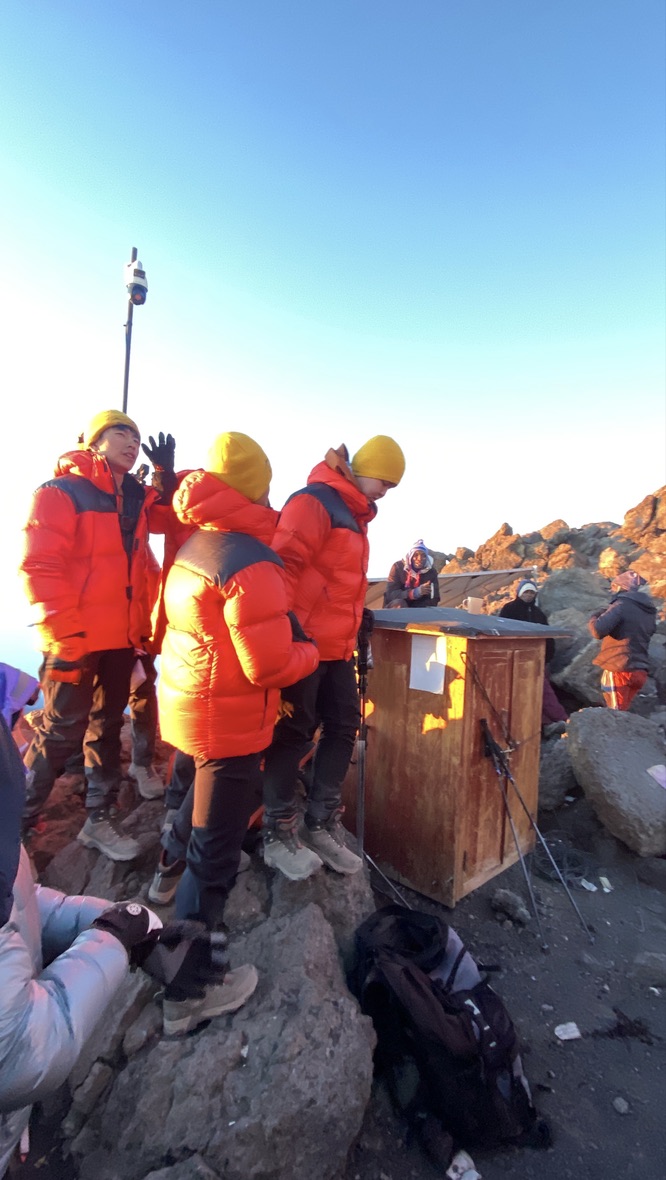
What I can’t promise every climber is that the same connection will work every time. Signal at these points depends on network load, weather, cloud cover, and the exact conditions on the day — I’ve had climbs where it worked well, and climbs where it didn’t connect at all. That inconsistency is normal for a mountain this remote, and it’s exactly why I tell every client not to build their summit-night plan around sending messages home.
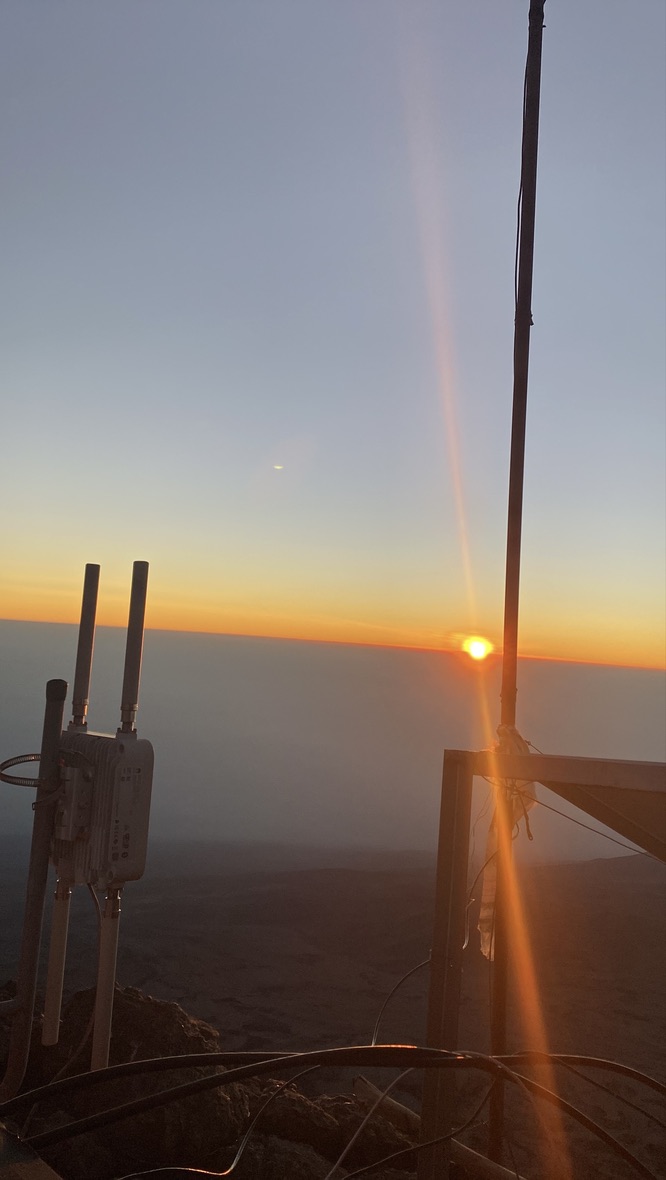
Safety systems matter as much as gear on summit night — Kilimania’s guide team carries dedicated communication and emergency equipment independent of any personal phone signal. You can read more in our Kilimanjaro Safety guide.
Is There Wi-Fi or Phone Signal on Kilimanjaro?
Do not assume you will have Wi-Fi throughout your climb. Connectivity on Kilimanjaro is location-specific rather than continuous — some climbers find mobile data usable at particular points, including near the summit as described above, but coverage varies by network, terrain, weather, and exact location. Plan your trip around carrying your own power bank and being offline for long stretches of each day.
Signal vs Mobile Data vs Wi-Fi
These are different things and it’s worth knowing the difference. Mobile signal means your phone can connect to a cellular network. Mobile data means that connection carries internet access. Wi-Fi specifically means a local wireless access point, which is a different technology from a cellular connection. On Kilimanjaro, the connectivity available at points like Gilman’s Point works through infrastructure that supports a data connection at that location — in practice, this is closer to mobile data than to a conventional Wi-Fi hotspot, though I can’t confirm the exact technology involved.
If you want mobile data on the mountain, the safest approach is arranging a Tanzanian SIM or data bundle in Moshi before you start the climb. Depending on the network provider and current service arrangements, top-ups may occasionally be possible at certain points on the mountain, but treat that as a backup option, not your plan.
Does Connectivity Differ by Route?
| Route | What to expect |
|---|---|
| Machame | Intermittent connectivity at some camps; don’t rely on it |
| Lemosho | Intermittent connectivity at some camps; don’t rely on it |
| Marangu | Hut infrastructure differs slightly, but guest charging/connectivity still shouldn’t be depended on |
| Rongai | More remote approach; plan for limited connectivity |
| Northern Circuit | Expect longer periods with no connectivity at all |
| Umbwe | Limited connectivity; carry full charging capacity of your own |
These reflect practical experience guiding on each route, not a measured coverage survey — signal availability can change as network infrastructure changes.
Why You Shouldn’t Depend On It
Even where a connection is available, it can be slow, drop without warning, or fail entirely depending on network load and weather. Cold also affects your phone’s ability to search for signal efficiently, which drains the battery faster than being in airplane mode. Use connectivity when it’s there, but plan your climb — and your battery usage — as though it might not be.
Should You Rely on Your Phone for Emergencies?
No. Mobile coverage on Kilimanjaro is variable, batteries can fail in cold conditions, and network availability changes by location and day. Your phone should never replace your operator’s emergency procedures. Kilimania’s guide teams carry their own communication and emergency equipment as part of the standard expedition system, and every climber should follow the guide team’s safety protocol rather than assuming a personal phone connection will be there if something goes wrong.
How Much Power Bank Capacity Do You Need?
For many climbers, 20,000mAh is a sensible starting point for a 7-8 day climb, but your actual requirement depends on your phone, your camera, your headtorch, whether you’re wearing a GPS watch, and how much you use each device. Treat this as a baseline, not a fixed number that fits every combination of devices.
| Capacity | Suitable for |
|---|---|
| 10,000mAh | Light phone use, minimal other electronics, shorter climbs |
| 20,000mAh | A practical baseline for many 7-8 day climbers with a phone, headtorch and camera |
| Two × 10,000mAh | Useful redundancy — if one unit fails or is misplaced, you still have backup power |
| 30,000mAh+ | Consider only if carrying several power-hungry devices and the extra weight is acceptable |
Advertised mAh capacity is not the same as the energy actually delivered to your phone. Voltage conversion, cable quality, and device battery size all create some loss along the way, so treat the capacity figure as a general guide rather than a precise formula.
How Cold Affects Your Phone and Power Bank
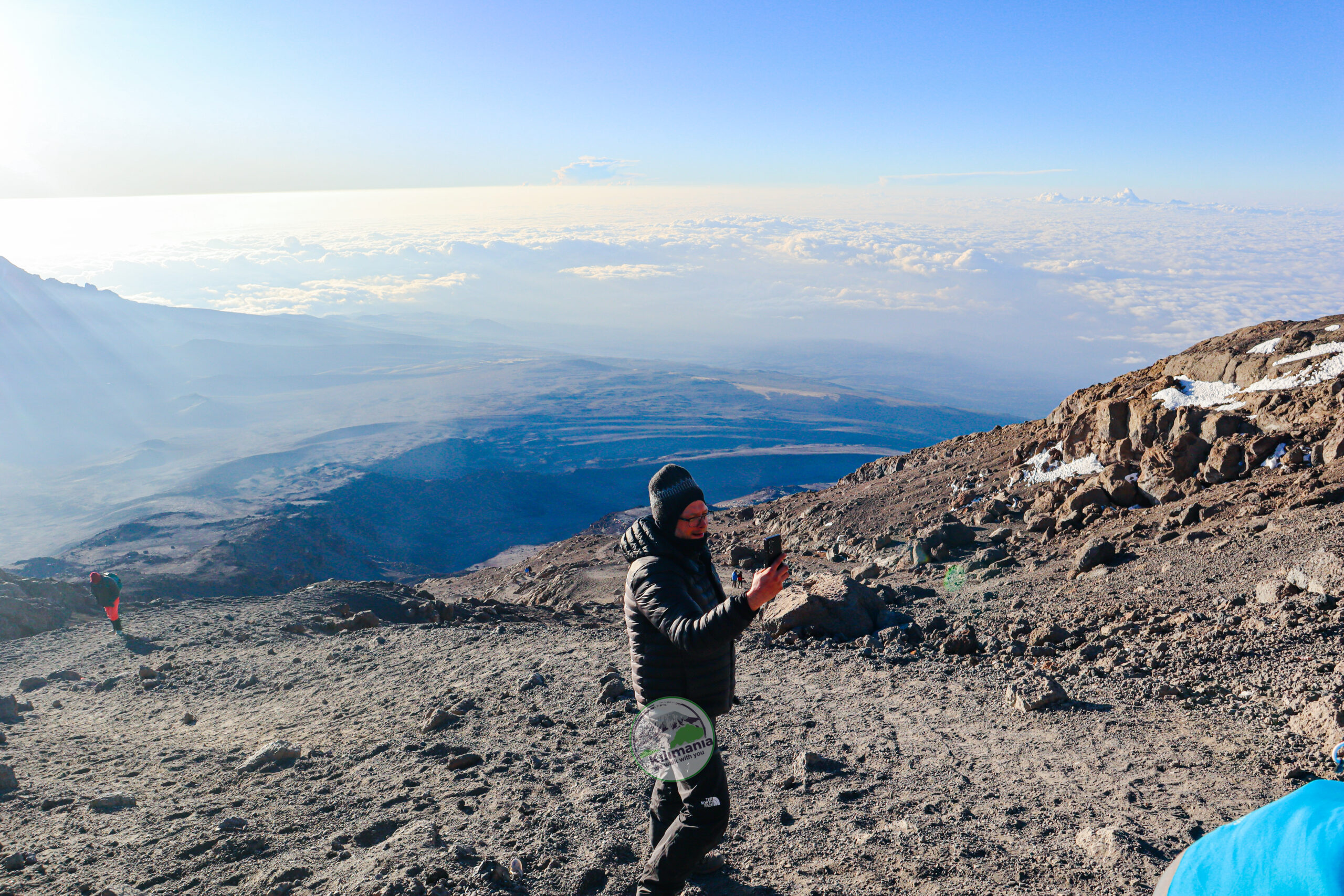
Cold temperatures can meaningfully reduce the short-term performance of lithium-ion batteries — the exact effect varies by battery chemistry, temperature, and how hard the device is working. Barafu Camp and summit-night conditions are cold enough that a battery reading “full” in the evening can behave as though it has noticeably less charge by the early hours of the morning. This is normal battery behavior, not a fault with your device, and it’s manageable with basic precautions.
Keeping Batteries Warm
This is what I personally do on summit night: I sleep with my phone and power bank inside my sleeping bag, close to my body, in a small dry bag to guard against condensation. I avoid leaving electronics in outer daypack mesh pockets overnight — that’s usually the coldest spot in camp. On the summit push itself, I carry the power bank inside my down jacket rather than in an exposed pack pocket.
What Should You Charge First?
- Essential safety equipment — a USB-rechargeable headtorch should be fully charged before summit night; if yours uses AA/AAA batteries, pack a spare set instead.
- Communication or navigation device if you’re carrying one separate from your phone.
- Camera, if photos matter to you — cold drains camera batteries quickly with regular screen use.
- Phone and other convenience devices — useful, but not safety-critical.
Can You Use a Solar Charger?
For most climbers, carrying sufficient battery capacity is simpler and more predictable than relying on a portable solar panel. Kilimanjaro generates its own weather most afternoons, and camps like Barranco and Karanga are often under cloud by midday. A folding panel needs sustained direct sun to produce a meaningful charge, and a moving trekking group rarely stops long enough in full sun for that. A solar panel isn’t impossible to use here — it’s just less predictable and adds weight for uncertain return, so most climbers are better served by an extra power bank.
What I Carry on Summit Nights
For my own climbs, I keep my phone, power bank and charging cable in my daypack rather than putting them in the porter-carried duffel. On summit night, I keep the phone and power bank protected from the cold inside my clothing. My typical kit:
- Phone, kept on airplane mode except where I specifically want to check for signal
- 20,000mAh power bank
- A short, durable USB-C charging cable
- Headtorch, plus spare batteries as backup
- A small dry bag for electronics
- Offline maps downloaded in advance
- A Tanzanian SIM or data bundle purchased before leaving Moshi
What to Do Before Leaving Moshi
- Fully charge your phone and power bank(s) before you leave your hotel.
- Test your charging cable — a loose or worn cable is a common, avoidable failure.
- Arrange a mobile data bundle in Moshi if you want connectivity on the mountain.
- Download offline maps and any important documents before you start.
- Save your operator’s and emergency contacts somewhere accessible offline.
- Check your headtorch battery and pack spares if it isn’t USB-rechargeable.
- Put your charging gear in your daypack, not your porter-carried duffel.
- Confirm whether your devices use USB-C, Lightning, or another connector.
- Remember: connectivity at camps and stations is not the same as continuous coverage along the trail — don’t depend on it.
Read next: the full hour-by-hour breakdown of Kilimanjaro summit night, and how temperatures shift across the year in our Kilimanjaro weather by month guide.
FAQ
Can you charge your phone on Kilimanjaro?
Yes, but only using a power bank you carry yourself. There is no reliable mains electricity or dependable guest charging service on Kilimanjaro that climbers should plan around, so start the trek with everything fully charged and bring your own charging capacity for the full trip.
Is there electricity at Kilimanjaro camps?
Not in a way climbers should depend on. Some huts or operators may have limited solar or generator-powered electricity for lighting or staff use, but this is not a reliable guest charging option. Every climber should carry their own power bank.
Can you get phone signal at Uhuru Peak?
Sometimes. Sabinus Msimba has personally used his phone in the summit area, including around Uhuru Peak and Gilman’s Point, during his regular Kilimanjaro climbs. However, connectivity can vary according to network, location, weather and conditions, so it should not be depended on.
Is there Wi-Fi on Kilimanjaro?
Do not assume you will have Wi-Fi throughout your climb. Connectivity varies by location and route. Some climbers may find mobile data usable at particular points, including near the summit, but plan your trip around carrying your own power bank and being offline for periods.
How big a power bank should I take to Kilimanjaro?
For many climbers, 20,000mAh is a sensible starting point for a 7-8 day climb, but actual requirements depend on your phone, camera, headtorch, GPS watch, and how heavily you use them. Two smaller 10,000mAh banks give useful redundancy if one fails.
Does connectivity differ between Kilimanjaro routes?
In practical experience, connectivity is intermittent at best on Machame, Lemosho, Rongai, Umbwe and the Northern Circuit. Marangu’s hut infrastructure differs slightly, but no route should be treated as having dependable coverage throughout.
Bottom Line
There’s no guest charging socket you should plan around anywhere on Kilimanjaro, so a power bank is not optional — bring one, keep it warm, and charge in order of what’s actually safety-critical. Phone signal is a genuinely different story: I’ve used mine near Gilman’s Point and Uhuru Peak on my own climbs, and I have the photographs to show it. But I’ve also had it fail to connect on other climbs under similar conditions. Prepare for both outcomes, and you’ll reach Uhuru Peak with a working headtorch and a charged phone, whether or not it finds a signal that day.
Ready to plan the climb itself, not just the gear list? Compare routes, pricing, and what’s included.
Explore the Climbing Kilimanjaro Guide →Related reading: Kilimanjaro Packing List · Do You Need Trekking Poles? · 8-Day Lemosho Route · Kilimanjaro Routes Compared
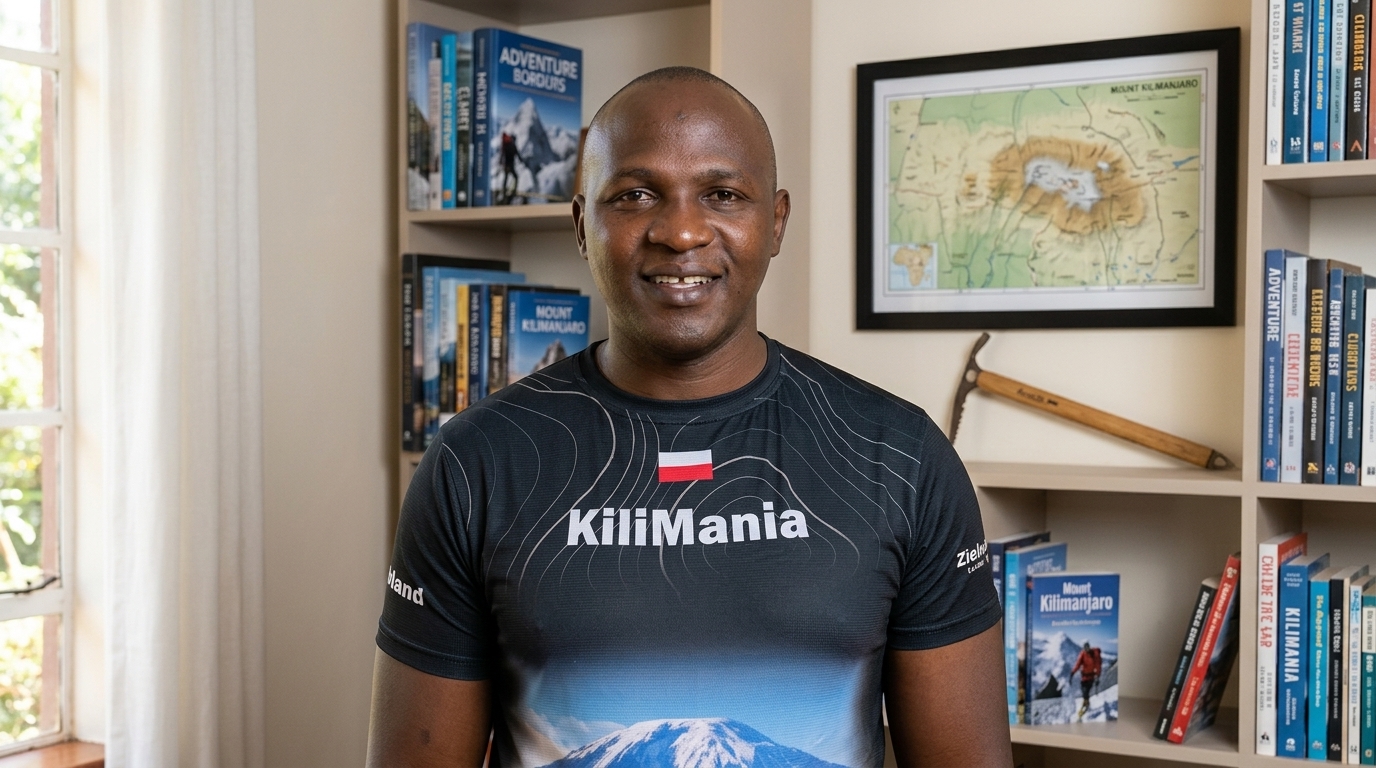
Sabinus Msimba
Sabinus Msimba is a Senior Kilimanjaro Mountain Guide who climbs the mountain regularly throughout the year. This guide combines his first-hand observations from repeated climbs, including his own photographs from Gilman’s Point and Uhuru Peak, with practical battery-management advice for trekkers.
We Walk With You.
This article reflects Kilimania Adventure’s own guiding experience, photographs, and equipment recommendations. It is not sponsored by any network operator, device manufacturer, or telecommunications provider, and no commission is received for any product mentioned. Route-level connectivity observations are based on practical guiding experience rather than a formal coverage survey and may change as infrastructure changes. This page was last reviewed on 18 August 2026 by Sabinus Msimba, Senior Mountain Guide, Kilimania Adventure. Questions about this article can be sent to info@kilimania.co.tz or +255 756 449 990.